Fundamentals
The concepts everyone uses and almost nobody defines: what an API, an SDK, a backend or a database really are.
Infrastructure
how an application reaches and stays in production
Infrastructure is everything that lets an application reach its users, keep running, and change without leaving the service broken. It includes machines, networking, storage, and the tools used to deploy, protect, and observe it.
Code does not float in the air. An online shop needs CPU and memory to run its backend, somewhere to serve the frontend from, a network that receives requests, a database, and storage that keeps its information safe.
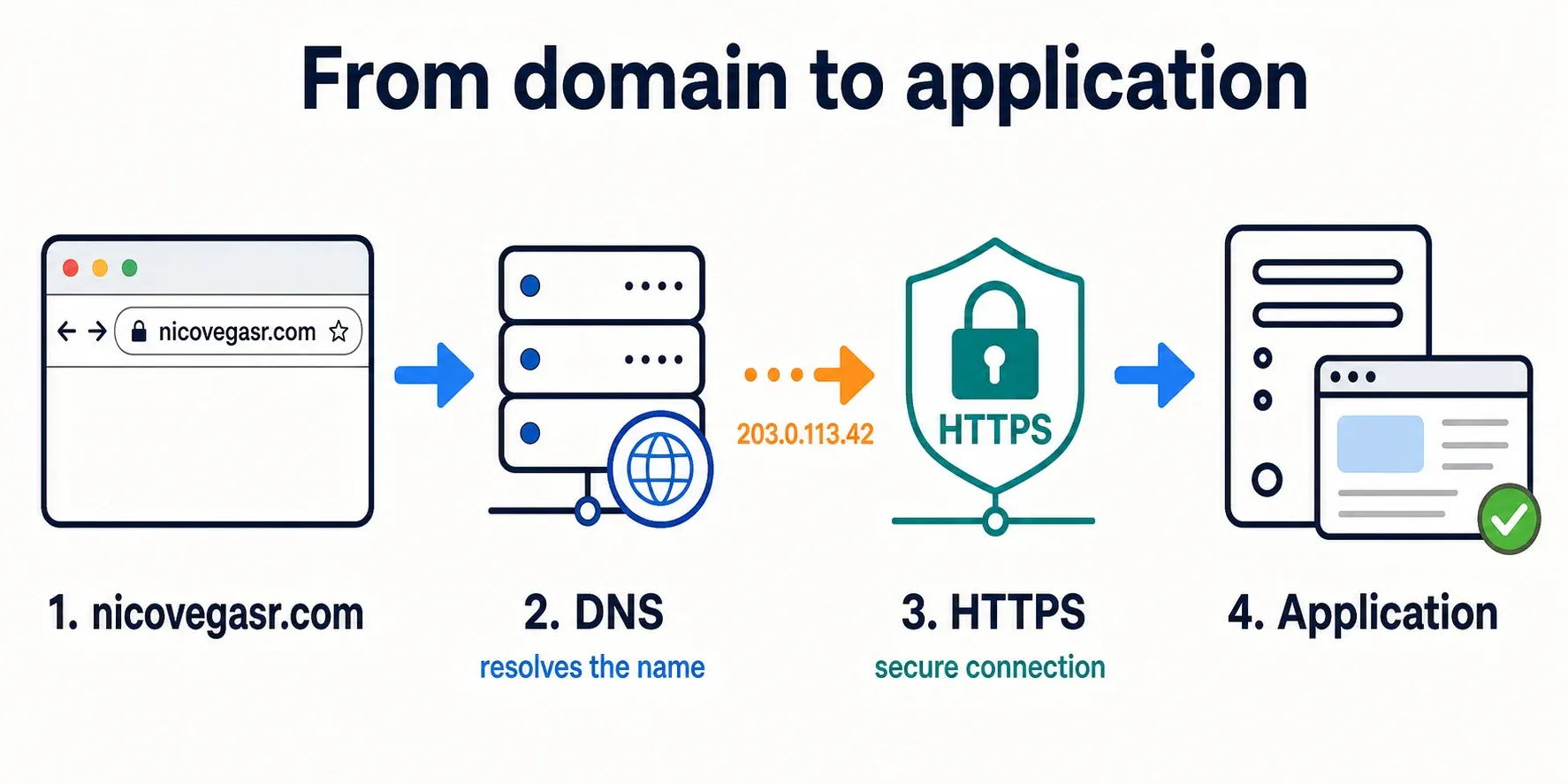
An application needs an address
An application can run on a machine and listen on a port. For example, a web
server handles HTTP on port 80 or HTTPS on 443. But nobody wants to visit an
IP address such as 203.0.113.42: they want to type nicovegasr.com.
You buy the domain from a registrar. You then configure its nameservers to
say which DNS servers know the answers for that domain. When a browser asks for
nicovegasr.com, DNS returns a destination address — an IP address or another
name — and only then does the browser open a connection to the application.
DNS does not redirect traffic: it resolves a name. The HTTP or HTTPS request then travels to that destination. HTTPS adds a certificate to encrypt the communication and confirm you are talking to the right domain.
Keeping it available is continuous work
Publishing an application is only the beginning. You have to update the operating system, apply security patches, watch available disk space, keep backups, and know what happens when something fails.
You also need to think about bad days. If one machine fails, is there another one ready to handle traffic? If checkout fails for ten minutes, does anyone get an alert? Logs, metrics, alerts, load balancers, and backups turn those questions into decisions you can prepare before the incident.
On-premise: you operate the machines
With on-premise infrastructure, the organisation controls its own servers, whether they are in an office or a data centre. It decides which hardware to buy, how to build the network, when to add capacity, and how to protect its facilities.
That control may matter for performance, regulation, or integration with internal systems. It also means dealing with failures, electricity, patches, backups, and the capacity you will need six months from now.
Building a resilient environment needs redundancy: backup machines, tested backups, duplicated networking, and a plan for restoring service. When it is properly sized and operated, it can make economic sense; improvising it is often expensive when the first serious failure happens.
Cloud: you rent resources and services
In the cloud, a provider offers compute, networking, and storage on demand. As well as renting machines, you can use managed services: a database, queue, or load balancer whose underlying operation is handled by the provider.
That makes it possible to create resources quickly and scale without buying hardware in advance. It does not remove the work: permissions still need configuring, costs need watching, backups need designing, and the provider’s limits and dependencies need accepting.
⚠️ On-premise offers more control but leaves you operating more things. Cloud delegates some of that work but does not make infrastructure disappear. The real difference is who is responsible for each layer and what it costs to run.
Infrastructure also delivers changes
An application is not deployed only once. Each version needs to go through test environments and reach production without interrupting the people using it. Continuous integration (CI) runs automated checks; continuous delivery or deployment (CD) prepares and automates the path to production.
You do not always release a version to everyone at once. A canary deployment exposes it to a small part of the traffic first. If errors increase or metrics worsen, you can stop it or return to the previous version. Infrastructure is not only servers: it is also the tests, automation, and signals that let an application evolve safely.