Multi-stage build
lighter images
Multi-stage build is a Docker feature that lets you use several FROM instructions within a single Dockerfile.
Each FROM creates an independent stage. Typically we use one stage to build the application and another to produce the final image that will run in production.
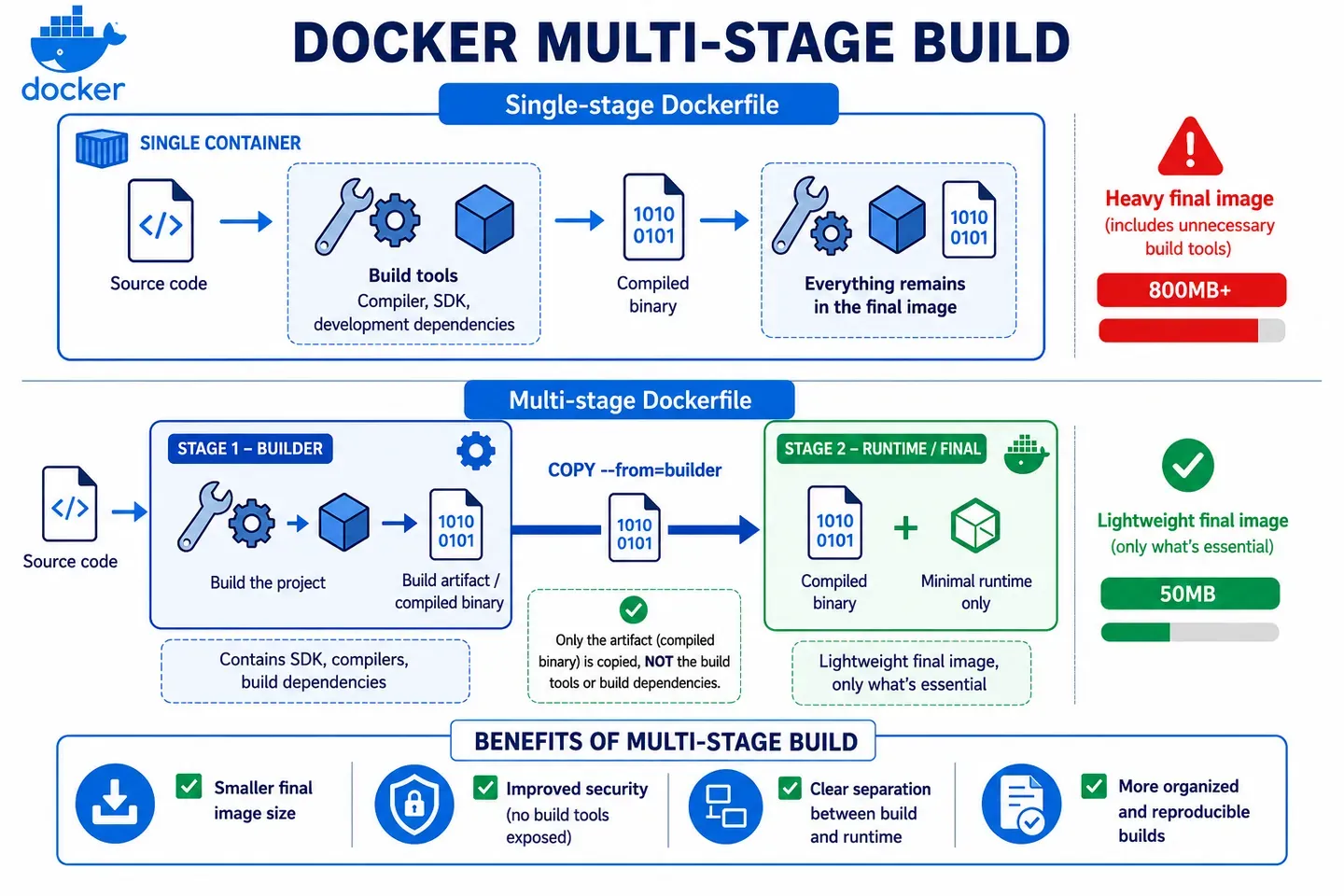
What problem it solves
It exists to reduce the final size of Docker images.
Without multi-stage, the final image usually drags along everything used during the build: compilers, development dependencies, caches, untranspiled source code, etc.
This increases the image size, slows down deployments and also increases the attack surface, since we’re including tools we don’t need in production.
Multi-stage separates two moments:
- Build: everything needed to compile or prepare the application.
- Runtime: only what’s needed to run it.
How it works under the hood
Each FROM in the Dockerfile creates an isolated stage, with its own filesystem.
Stages don’t share anything automatically. If we want to pass something from one stage to another, we have to copy it explicitly with COPY --from=<stage>.
We can name a stage with AS name to reference it later:
FROM node:20 AS builderThe final image will be the last stage in the Dockerfile. The previous ones are used during the build, but aren’t part of the final result unless we copy files from them.
Example
Without multi-stage: the final image drags along everything used during the build.
FROM node:20
WORKDIR /app
COPY package*.json ./
RUN npm ci
COPY . .
RUN npm run build
CMD ["node", "dist/index.js"]
With multi-stage: the final image only contains what’s needed to run the application.
FROM node:20 AS builder
WORKDIR /app
COPY package*.json ./
RUN npm ci
COPY . .
RUN npm run build

FROM node:20-alpine
WORKDIR /app
COPY --from=builder /app/dist ./dist
COPY --from=builder /app/node_modules ./node_modules
USER node
CMD ["node", "dist/index.js"]